2 new posts on Technically Easy |  |

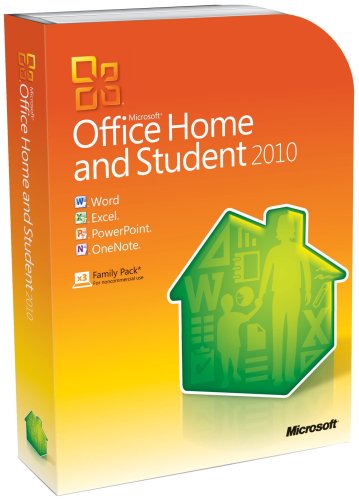
| Fix: An Error Occurred During the Installation of Assembly Component Posted: 02 May 2012 11:30 AM PDT I was recently installing Microsoft Office 2010 on a Windows XP computer when I encountered an error. The error prevented the installation from continuing, which prevented Office 2010 from installing. Installation errors can be a pain, as some error messages may not be well documented. Luckily, Microsoft OFfice 2010, much like all version of Office since 2000, use the Windows Installer service for installation. While the error itself doesn’t provide a whole lot of information regarding the problem, a quick search yielded the solution, which I outline below.
Microsoft Office 2010 Installation Error 1935As mentioned I received an error when attempting to install Microsoft Office 2010 on a Windows XP computer. The error I received was: Error 1935. An error occurred during the installation of assembly component {10CD20D2-733E-4174-9D02-2C6C26163DA5}. After doing a a quick search I found out that the error is related to the .Net framework that was installed on the Windows XP machine. Depending on the version of the .Net framework that is installed, there are actually to methods of solving the problem. .Net Framework 2.0 InstalledIn my case, the .Net framework 2.0 version was installed on the Windows XP computer, so all I had to do was repair the framework to correct the problem. To repair the framework, I used the following steps.
After correcting the above error, I update the .Net Framework to version 4.0 to avoid any similar problems in the future. .Net Framework 1.1 or No Framework InstalledUnlike current version of Windows (Vista and 7), Windows XP didn’t include the .Net framework, which was installed once Windows update was run. For those with .Net framework 1.1 installed, or no .Net framework installed, you should update to .Net framework 4.0 to correct the issue. You can use the “Windows Update” tool to update to the .Net framework to version 4.0, or use Microsoft .NET Framework 4 Web Installer to update. In the end, the .Net framework caused the installation problem, which was easily solved by repairing the framework that was installed on the Windows XP computer.
 Related Posts
Follow Technically Easy on Twitter | Technically Easy on Facebook | Follow Technically Easy on Google+ | Join Paul Salmon on Facebook Fix: An Error Occurred During the Installation of Assembly Component is a post from: Technically Easy      | |||||||||
| Mobile Weight Loss Technology – Latest Fitness Apps Posted: 02 May 2012 05:00 AM PDT Have you ever tried to keep healthy by exercising often and changing your diet by yourself? Many men and women have tried and have left midway feeling demoralized, not knowing if what they were doing, really worked at all. Not everyone has the time or money to go all the way to the gym and hire a professional trainer who will suggest a proper and effective workout and diet. Fortunately for us, third party developers are now making health-related apps that are available on our mobile devices. Choosing these new apps is a new option for weight loss and staying fit. There are three noteworthy apps that have caught the public's attention.
Pedometer PRO GPS+For those who do not go to the gym, do not have the time or extensive equipment for a workout, "Pedometer PRO GPS+" is the answer. This app calculates and records how many calories you burn based on the distance you walk and steps you take. You have the luxury to customize your own daily goals and be refreshed to see your progress in numbers. You may not feel it, but walking is the most basic yet vital form of exercise. Lose It!Living healthy is not just working out properly; it is also eating the right food. The "Lose it!" app is your own mobile dietician. It will help you lay down a plan for just the right amount of food by budgeting your calorie and nutrient intake. Here you can gorge on multiple salad diets and see a detailed record of your improvement. This is a handy tool that can work hand in hand with popular diet programs such as Diettogo or BistroMD. iFitnessFor those who often go to the gym or have their own equipment, iFitness is the app for you. Think of iFitness as a gym instructor. You can ask him what exercise you need for almost every muscle. He will follow up with a list of related workouts on the specified muscle and even explain its purpose. You can go at your own pace and fulfill the required sets as suggested. This app will even allow you to keep track of your progress and create your own exercises. Weight loss without a trainer is most difficult, but now you do not have to fight alone anymore. These apps offer their friendly services to show you effective exercise, various diets, and the progress you make. Avail of their coupon or promo code for good deals. Keeping healthy is a challenge, but now you have help.  Related Posts
Follow Technically Easy on Twitter | Technically Easy on Facebook | Follow Technically Easy on Google+ | Join Paul Salmon on Facebook Mobile Weight Loss Technology – Latest Fitness Apps is a post from: Technically Easy    | |||||||||


| You are subscribed to email updates from Technically Easy To stop receiving these emails, you may unsubscribe now. | Email delivery powered by Google |
| Google Inc., 20 West Kinzie, Chicago IL USA 60610 | |

Niciun comentariu:
Trimiteți un comentariu